Handheld Gimbal Stabilizer Gimbal Stabilizer Handheld Gimbal Hohem Official iSteady M7 Smartphone Stabilizer Ai Face Tracking 3-Axis Phone Gimbal Built-in Selfie Stick iPhone/Android Gimbal

★ ★ ★ ★ ★
Reviews | Questions & Answers
US $627.90

Color :
This product is currently out of stock
Quantity
Out of stock.
Shipping: US $0.00
Estimated Delivery on -
Secure Payment
Multiple payment options
Customer Service Guarantee
DOA Guarantee Missing/Wrong Items Guarantee Quality Guarantee No Reason Returns
Product Features
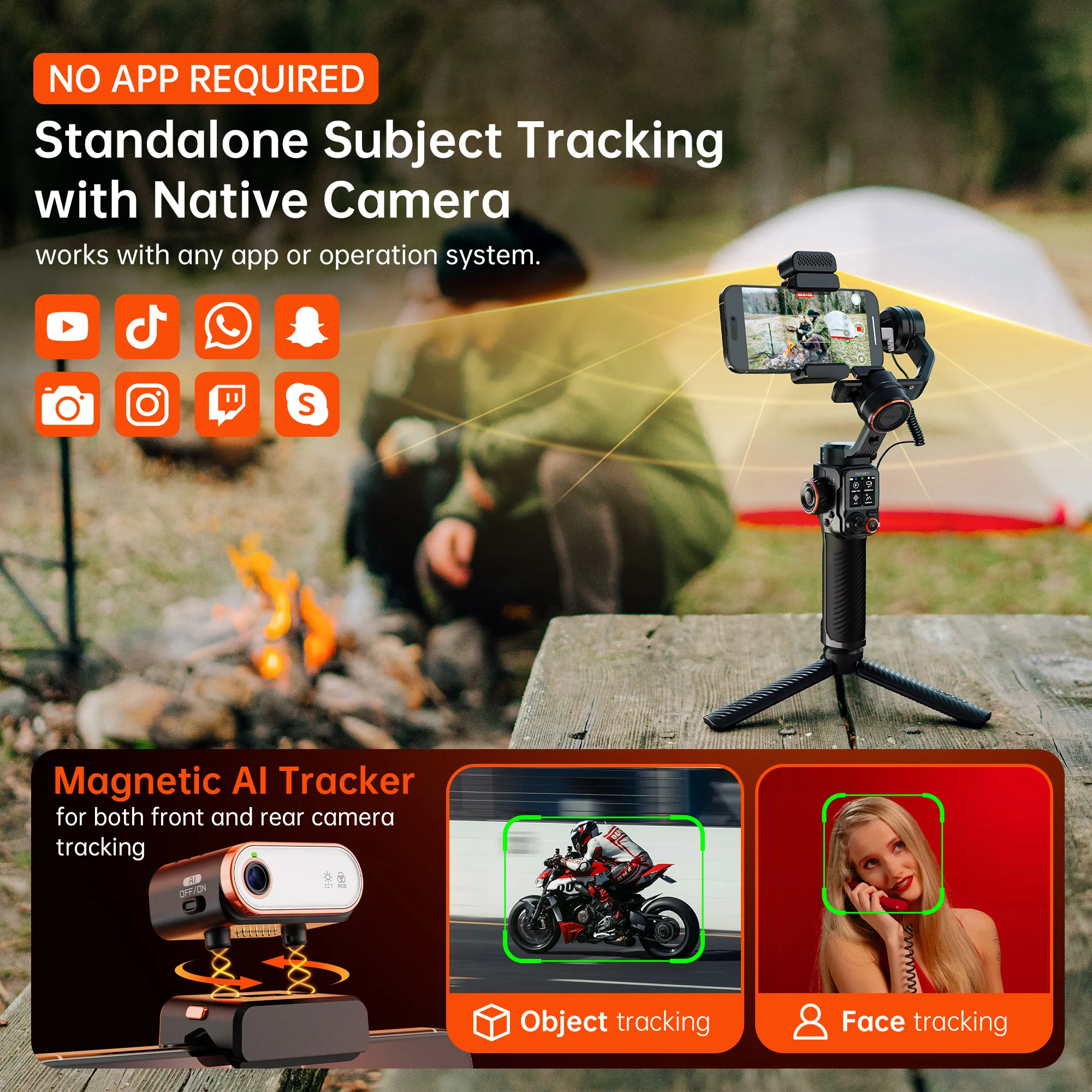
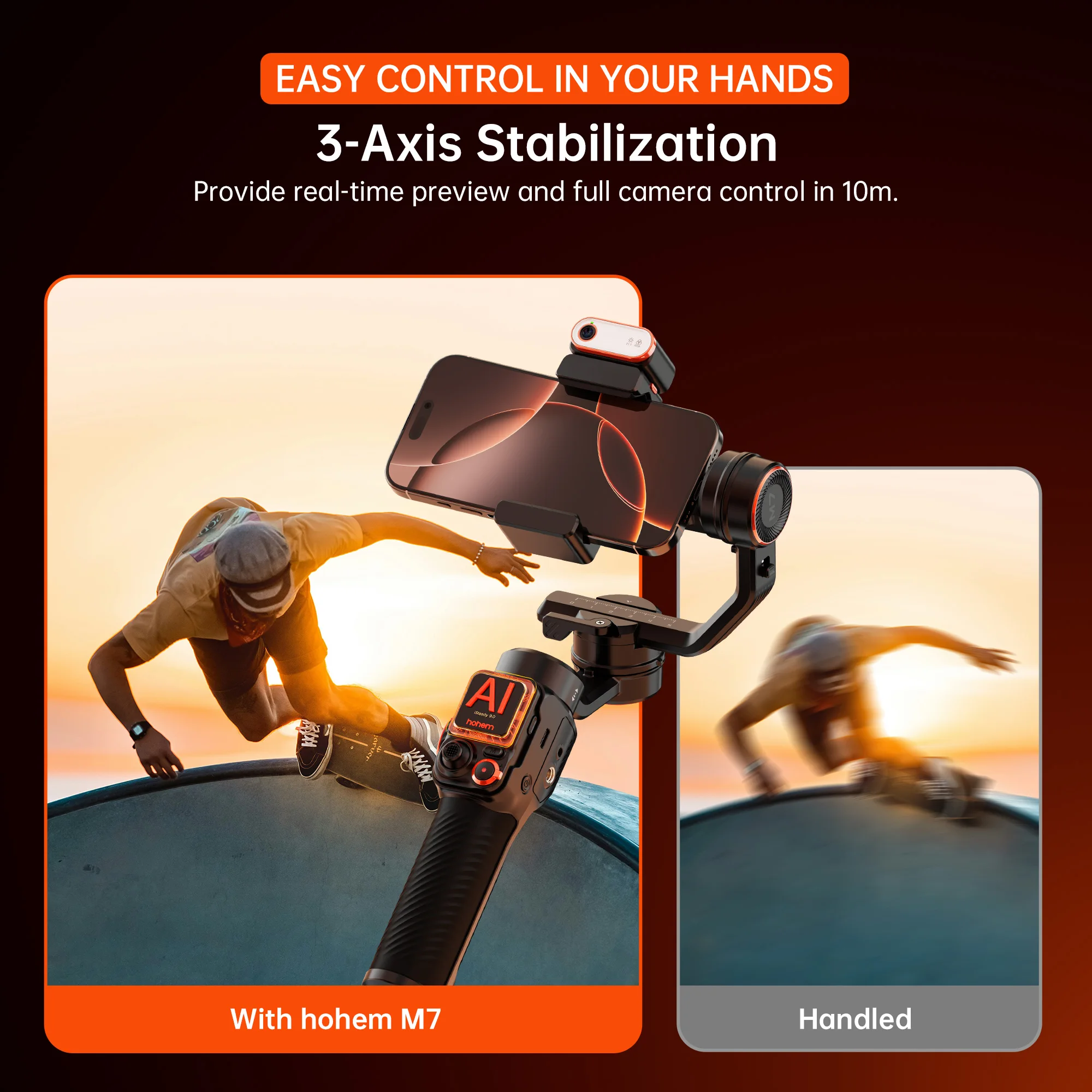
  • This handheld gimbal stabilizer Hohem iSteady M7 is a 3-axis smartphone stabilizer with AI face tracking, providing smooth and stable video recording.
  • It comes with a built-in selfie stick, allowing you to take selfies and group photos from different angles.
  • The magnetic fill light with CCT & RGB lighting colors provides adjustable lighting for better video and photo quality.
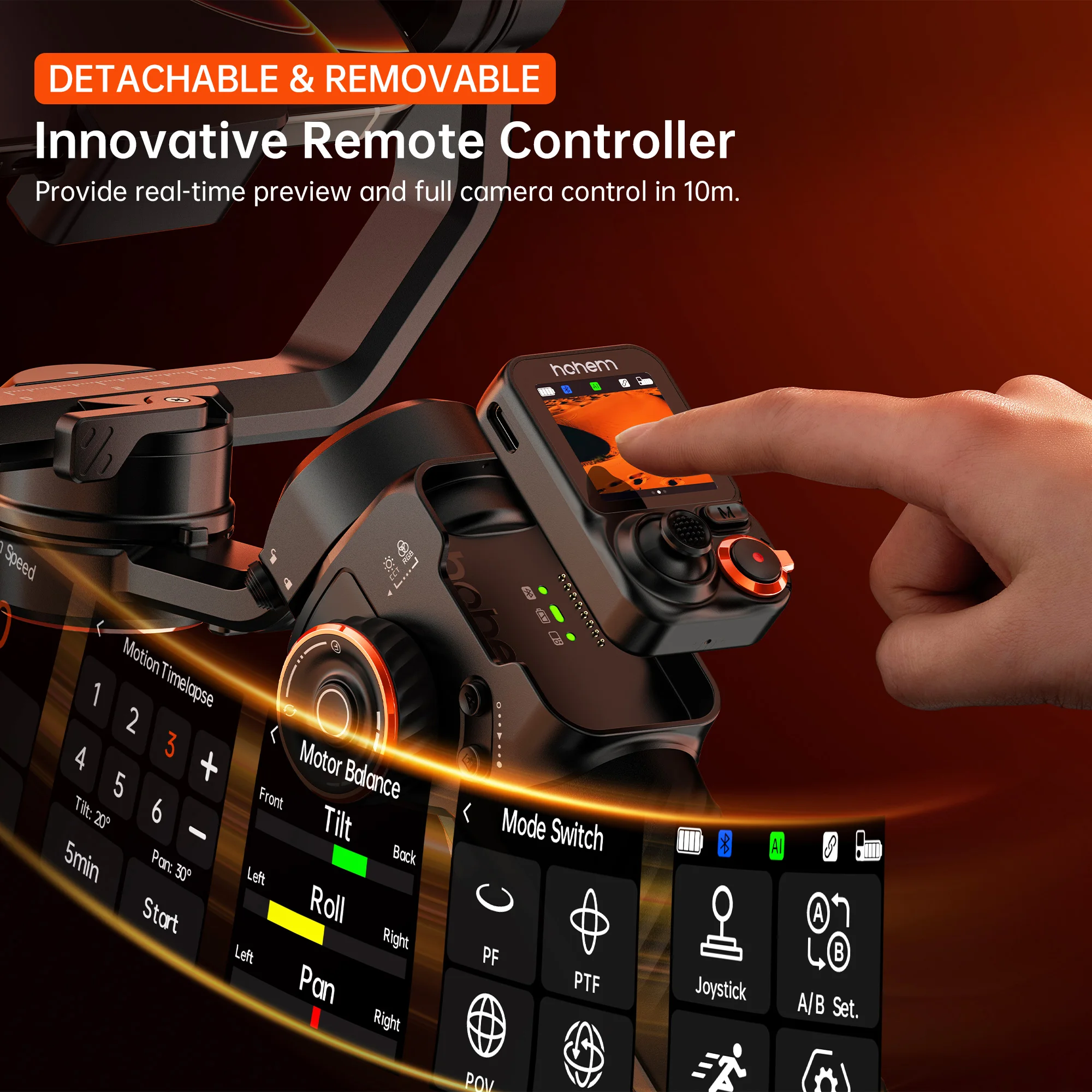
  • It supports remote control, allowing you to control the gimbal from a distance, making it convenient for shooting.
  • With various shooting modes and controllable angles, it offers a wide range of creative possibilities for your videos and photos.
Specifications
Brand Name
hohem
of Axes
3-Axis
Titling Angle
325°
Rolling Angle
90°
Panning Angle
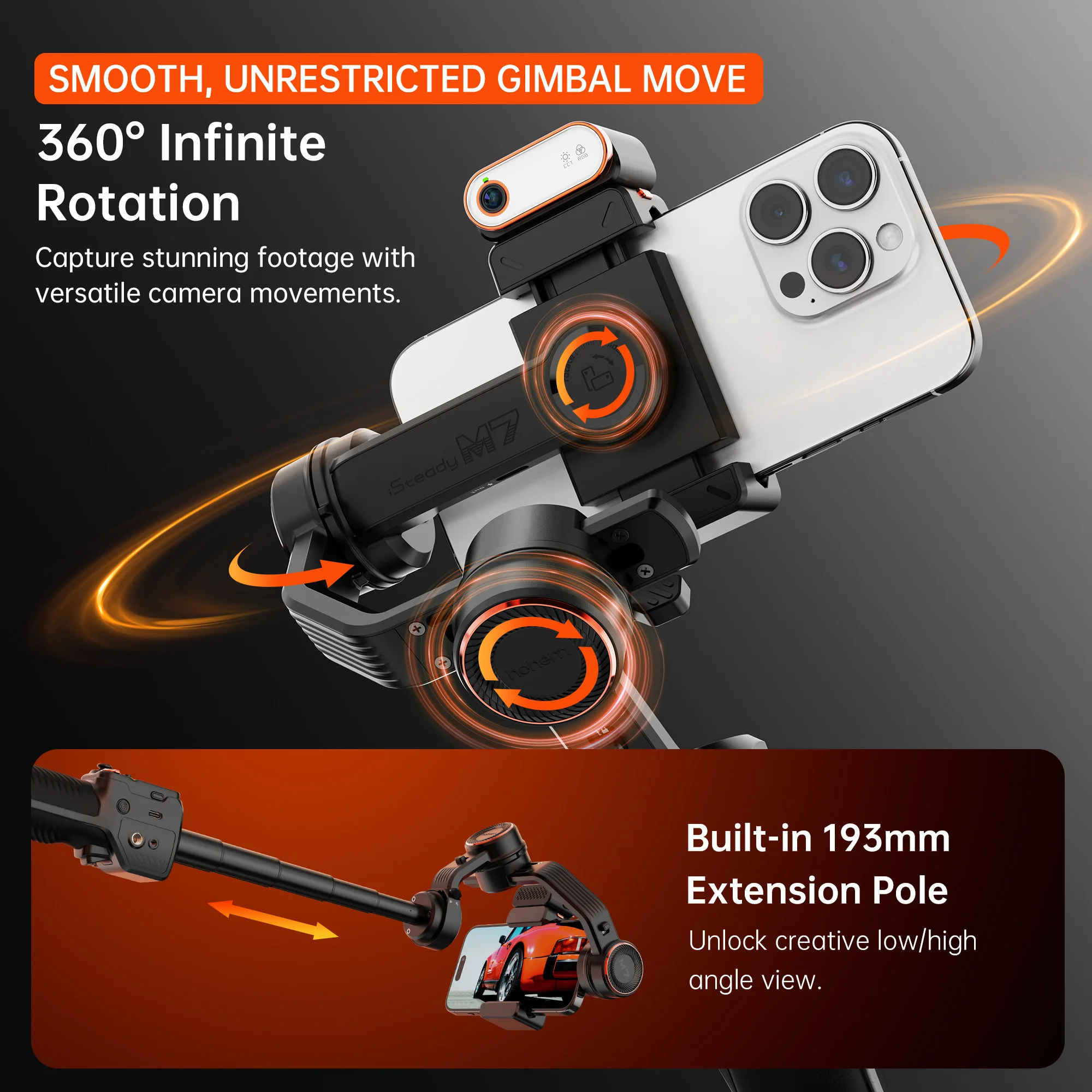
360°
Hign-concerned Chemical
None
Communication
bluetooth
Configured For
Smartphones
Type
handheld gimbal
Package
Yes
Feature
Face Recognition
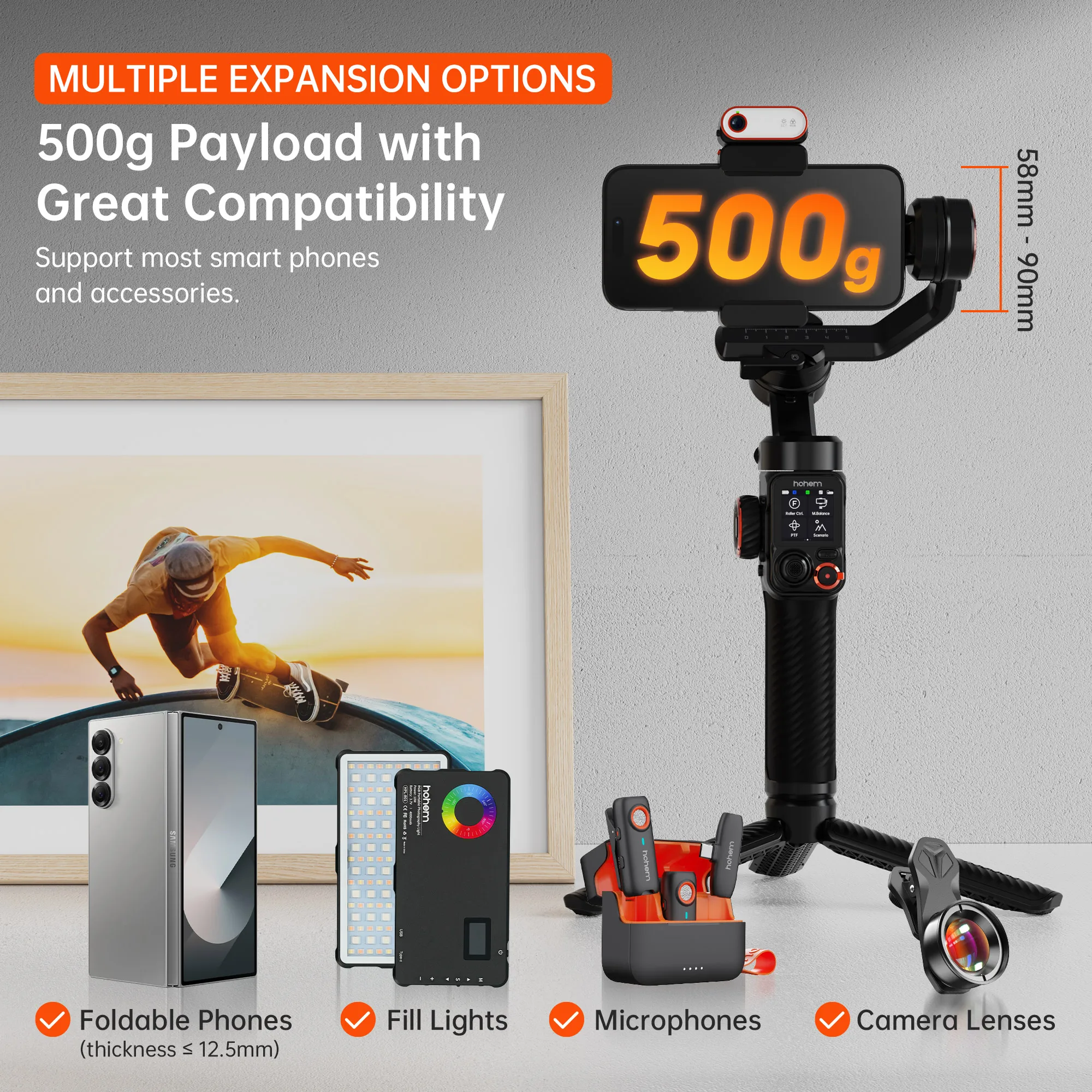
Supported Mobile Device Max Size
58mm~90mm
Weight (g)
629
App Setting
Yes
Vertical Shooting
Yes
Configured for
Smartphones
Support Remote Control
Yes
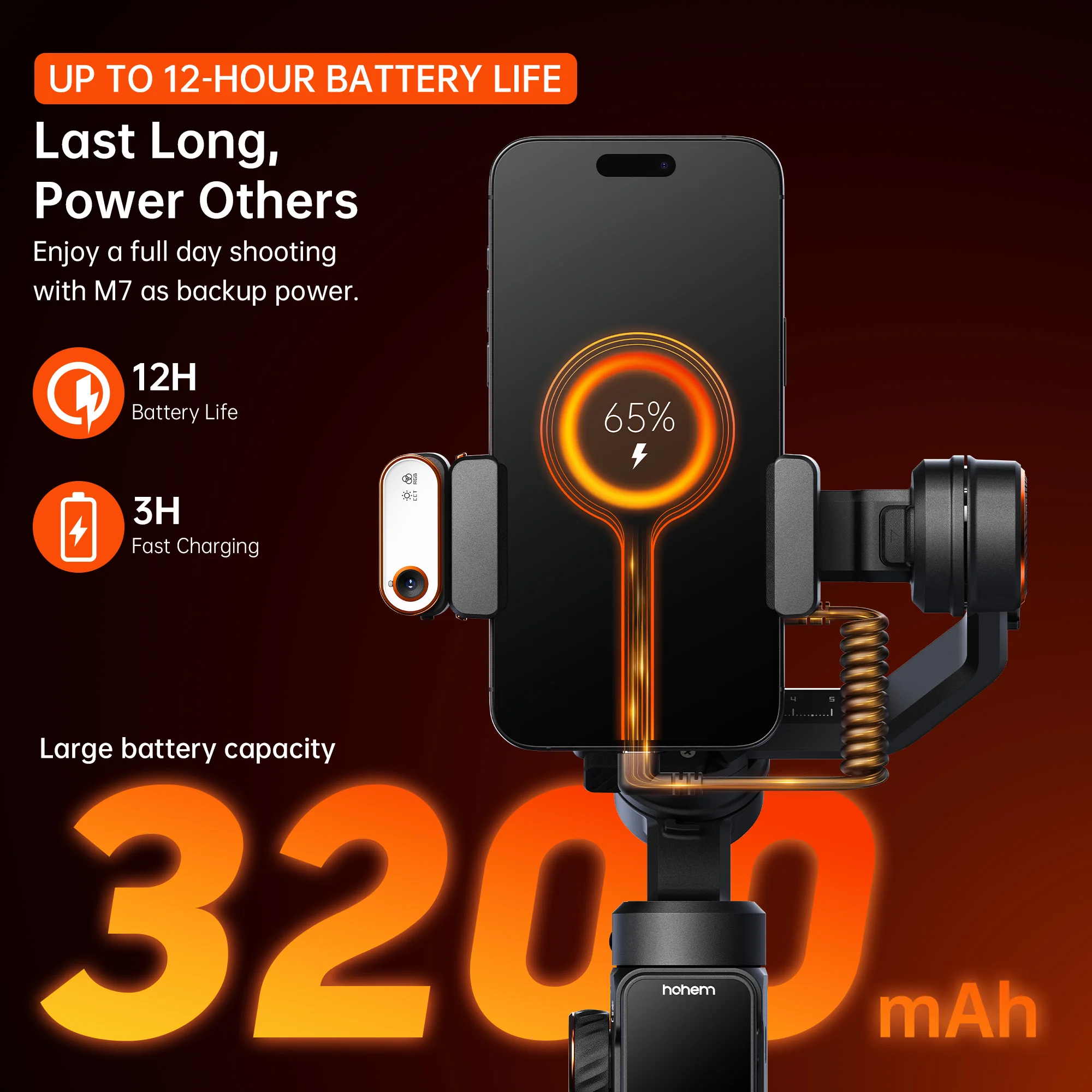
Charging for Mobile Device
Yes
Size
335.7*57*159mm
Material
High-performance composite material
Category
Handheld Gimbals
Camera Integration
No
hohem
official-website
Weight
20g
Unfolded Size
327*122.3*118.3mm
Folded Size
335.7*57*159mm
Payload
500g
Mobile Phone Width
58mm~90mm
Mobile Phone Thickness
6.9mm~12.5mm
Advanced AI Tracker
Track any subject (person+object) through any app
Magnetic Fill Light
CCT & RGB fill light
Built-in Extension Rod
193mm
Battery
18650li-ion, 7.2V/3200mAh/23.04Wh
Charging Time
3 hours
Power Consumption
1.8W (Balanced and stationary)
Controllable Angle
Tilt: -50°~275°
Gimbal Working Modes
"1. Pan Follow (PF) 2. Pan and Tilt Follow (PTF) 3. Point of View (POV) 4. Custom Mode 5. All Lock Mode 6. Sports Mode 7. Ultra-Wide-Angle Mode"
Other Shooting Modes
"1. Auto Inception 2. Panorama 3. Motion Timelapse"
Landscape/Portrait Switch
"1. Manually rotate the phone clamp 2. Rotate the handle"
Motor Protection
The gimbal will automatically shut down in case of improper operation to protect the motor.
Working Temperature
-10~45℃
Battery Capacity
3.8V/240mAh/0.912Wh
Remote Control Range
≤10m (≤32.81ft)
Video Transmission Range
≤7m (≤ 22.97ft)
Touchscreen
1.4 inches
Dimensions
42.5*29.5*19.5mm
Pixel
2 MP
Gesture Recognition Distance
0.5m~5m (1.64ft~16.40ft)
Tracking Distance
0.5m~7m (1.64ft~22.97ft)
Illuminance
Light Power
2W
RGB
360 lighting colors
CCT
2700K, 3000K, 3500K, 4000K, 4500K, 5000K, 5500K, 6000K, 6500K
Power Button
"Long press: On/Off Single press: Reverse charging (in power off state) Double press: Enter/Exit standby mode Press five times: Auto gimbal calibration"
Trigger
"Single press: Start AI tracking (used in preview with tracking target selected) Pause/Resume AI tracking (used in preview during tracking) Double press: Recenter the gimbal Triple press: Forward-facing/Backward-facing phone position Press four times: Ultra-Wide-Angle Mode Press and hold: All Lock Mode Single press + Press and hold: Sports Mode"
Side Roller
"1.Fill Light Control Long press: Turn on/off the fill light Triple press: Switch to CCT/RGB Single press: Submenu switch (brightness/color) 2.Motor Rotation Double press: Select motor control (under focus and motor control) Single press: Submenu switch (pan/tilt/roll) 3.Focus Control Double press: Select focus control (under focus and motor control) *After switching functions, turn the roller for smooth control."
A/B Button
"Long press: Set A/B point Single press: Quickly return to A/B point Double press: Smoothly rotate to A/B point *The default rotation time is 1 minute, which can be modified through Hohem Joy app or touchscreen."
Side Button
"Single press: Start AI tracking (used in preview with tracking target selected) Pause/Resume AI tracking (used in preview during tracking) Double press: Recenter the gimbal Triple press: Forward-facing/Backward-facing phone position Press four times: Ultra-Wide-Angle Mode Long press: AI tracking calibration"
Mode Button
"Single press: Switch working mode Triple press: 360° infinite pan rotation Press five times: Auto gimbal calibration"
Zoom Lever + Shutter Button
"Zoom Lever Lever up/down: Zoom in/out[1] Shutter Button Half-press: Auto focus[1] Single press: Take a photo or start/stop recording[2] Double press: Photo/Video[1] Triple press: Front/Rear camera[1] Long press: Power on/off the remote[3] 1.Used within Hohem Joy app after Bluetooth connection. 2.Bluetooth connection needed. 3.When the remote is attached to the handle, it will power on/off the gimbal simultaneously."
Joystick
"Push up/down: Tilt up/down Push left/right: Pan left/right *In AI tracking calibration mode, use the joystick to adjust the preview frame."
HOHEM
Stabilizer
683 Sold
Reviews
0 out of 5
★ ★ ★ ★ ★
See all 0 Reviews
5 star
0 (0%)
4 star
1 (100%)
3 star
0 (0%)
2 star
0 (0%)
1 star
0 (0%)
Checking product compliance...
Enquiry
Ask a Question
captcha